By Joe S Saghezi, Senitron · Updated October 14, 2026
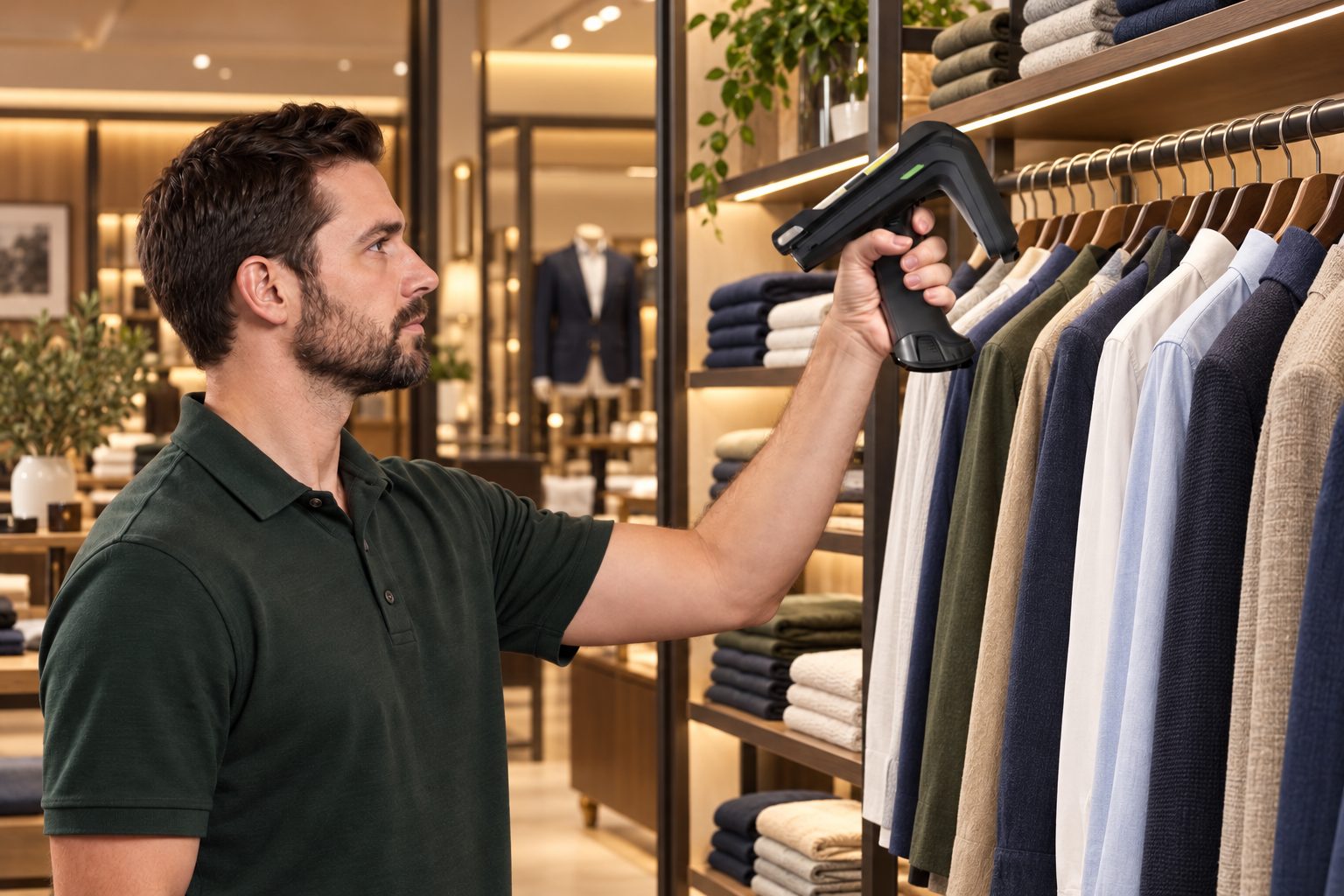
Retail RFID — RFID in retail — means putting a small radio tag on each item so a store can count, find and move its inventory without scanning barcodes one at a time. A handheld RFID reader reads hundreds of tags per second, through boxes and from a distance, so a full-store count that used to take a team of people a day or a week takes one person 15–30 minutes. This guide explains how retail RFID works, what it really costs, where it pays back, how it connects to your POS, and how to roll it out in your own stores.
Retail RFID in 30 seconds:
- What it does: counts your whole store in minutes, shows what is on the sales floor versus the stockroom, finds any item, audits transfers between stores, and keeps your POS quantities right.
- Speed: roughly 10,000–20,000 items in 15–30 minutes; a typical boutique sales floor of about 6,000 items in around 12 minutes.
- Accuracy: retail inventory accuracy is often cited at around 65% without RFID (research by the Auburn University RFID Lab); stores using item-level RFID commonly reach 95–99%.
- What you need: RFID labels, a printer to encode them, a handheld reader, and software that syncs with your POS.
- Cost: software with support from $200 to $500+ per store per month (no contract), plus one-time hardware. See the cost section below.

What is RFID in retail?
RFID (radio frequency identification) uses radio waves to identify tagged items. In retail, almost every system uses passive UHF RFID: a thin label or hang tag with a tiny chip and antenna and no battery. When a reader sends out a radio signal, every tag in range answers with its own serial number. Because each tag is unique, the system knows not just that you have ten units of a style, but exactly which ten units, and where they were last read — so an item is never counted twice.
A retail RFID system has four parts:
- Tags — RFID labels, hang tags or stickers on each item, printed and encoded in your store or warehouse, or applied at the factory before the goods ship.
- Readers — handheld readers for counting, receiving and finding items, and optional fixed readers at doors, stockrooms or registers.
- Software — the dashboard that turns tag reads into counts, locations, transfers, alerts and reports.
- POS integration — the link that brings your catalog in, compares RFID counts with your point-of-sale quantities and sends corrections back.
Why retailers switch to RFID
These are the problems store owners describe to us most often.
1. “Counting takes days and needs extra staff”
Scanning one barcode at a time means closing aisles, booking a counting crew or giving up a weekend. With RFID, one associate walks the store with a handheld and the count is done in minutes, so you can count weekly or even daily instead of once or twice a year.
2. “The system says we have it, but nobody can find it”
For many stores the bigger problem is not shrink but finding product — for a customer, an online order or a stylist. RFID shows which items are in the stockroom but missing from the floor, by size and color, and the handheld’s locator beeps faster as you get closer to the exact piece. A store map shows where each item was last read.
3. “Transfers between stores are a mess”
Scan the items going out, pick the destination and the transfer is created in your POS; the receiving store confirms it with one scan and sees immediately if anything went missing in transit. Many of our customers say transfers alone would have justified the system.
4. Online orders, BOPIS and ship-from-store fail
Buy-online-pick-up-in-store and ship-from-store only work when store stock is right. Accurate counts mean fewer cancelled orders. See why BOPIS fails and how to fix it.
5. Shrink you can see
Frequent counts show losses within days, by item and location, and optional exit sensors can alert staff when tagged items leave unsold. More in RFID for loss prevention.
6. Over-ordering
When the numbers are right, reorders and replenishment are based on what is really in the store — retailers tell us the savings from not over-ordering are one of the biggest wins.
How RFID works in a store, step by step
- Connect your POS. Items, SKUs and barcodes come in from Shopify, Lightspeed or your other system — new items appear within seconds.
- Tag your inventory. Scan an item’s barcode and an RFID label prints with the same product information; apply it over or next to the existing label. Most stores tag everything in a few days to a week, or start with one category.
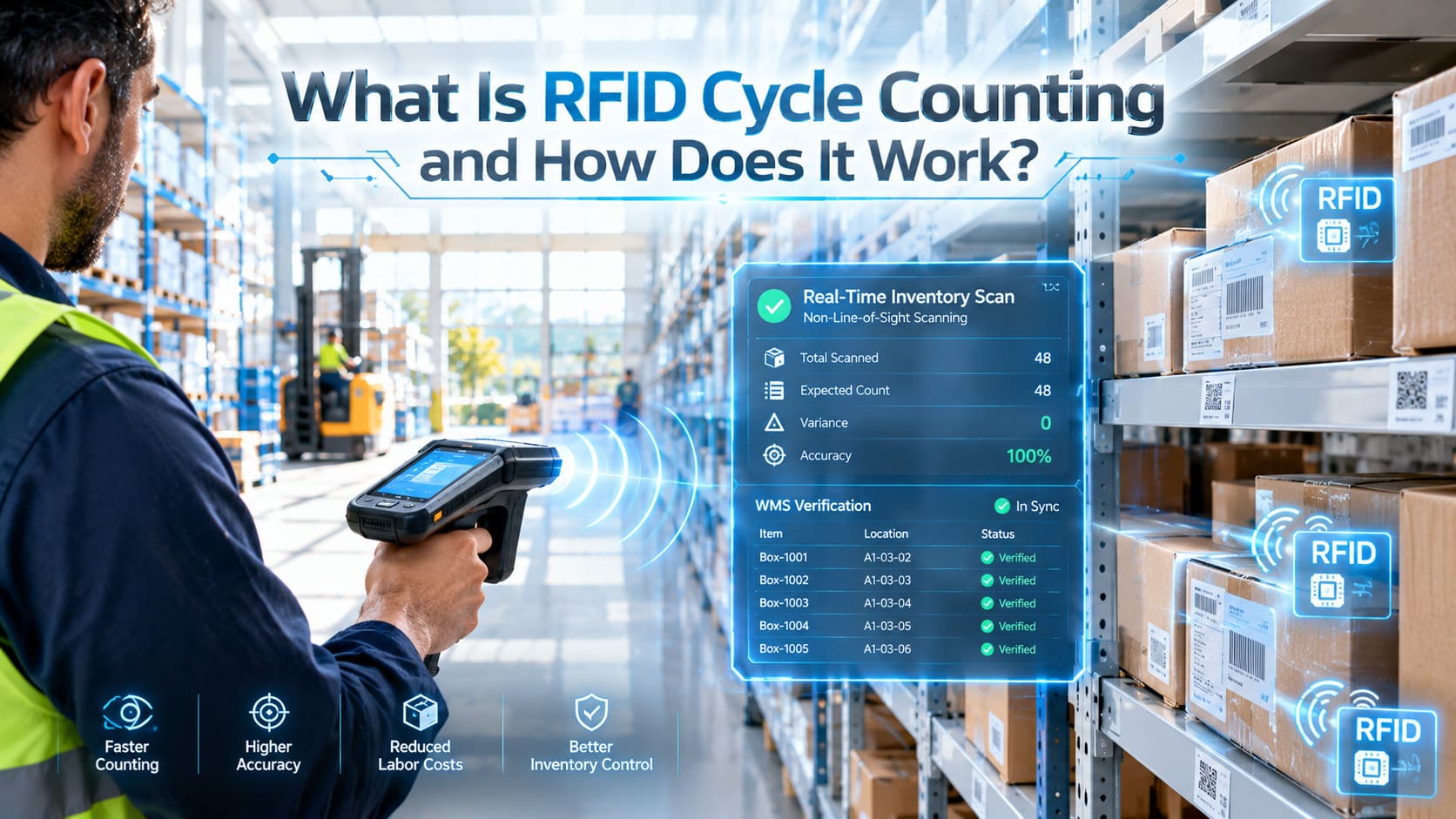
- Count. Press start on the handheld and walk the floor and stockroom. The reader picks up tags on racks, in stacks and in boxes without line of sight.
- Compare. The dashboard lines up the RFID count against the POS quantity for every item and lists what is missing or extra, so you can review before anything changes.
- Sync. Send the corrected quantities back to the POS with one click; a report of the changes is emailed after each sync.
- Use it every day. Find items, replenish the floor, receive deliveries, and transfer stock between stores and the warehouse.
RFID vs barcode in retail
| Barcode | ✓ RFID | |
|---|---|---|
| How items are read | One at a time, in line of sight | Hundreds per second, no line of sight |
| Full-store count | A day or more, often with a counting crew | 15–30 minutes with one person |
| How often stores count | Once or twice a year | Weekly or daily |
| Identifies | The product (SKU) | Each individual item |
| Finding a specific item | Search by hand | Locator beeps faster as you get closer |
| Transfers | Typed or scanned piece by piece | Scanned in seconds and audited on arrival |
| Label cost | Nearly free | A few cents per label |
Most stores use both: RFID on items worth roughly $10 or more, and barcodes on low-cost items. Good RFID software counts both in one inventory.
The right tag for every product
- Apparel and soft goods: standard RFID labels or hang tags on the price tag.
- Jewelry and watches: small jewelry tags that hang from each piece.
- Metal, liquids and shiny packaging: flag tags and on-metal tags made for them.
- Shoes and boxed goods: one label on the box end, next to the size label.
- Sales floor and stockroom: counted as separate zones, so you always know where an item is.
What you need to get started
- RFID labels or hang tags suited to your products: standard apparel labels (the larger the label, the farther it reads — typically 15–25 feet), small tags for jewelry, flag tags for metal and liquids.
- An RFID printer to print and encode labels in the store or warehouse. Industrial models suit high volumes; desktop models print a couple of thousand labels a day.
- A handheld RFID reader for counts, finding items and receiving — one per store is enough for most retailers to start.
- Optional fixed readers at the entrance, stockroom door or register for automatic tracking, exit alerts and RFID checkout.
- RFID inventory software that integrates with your POS — see Senitron’s retail RFID solutions.
Tagging at the factory: if your goods are made overseas, labels can be printed and shipped to your factories so stock arrives already tagged. Senitron has an office in China that prints, encodes, tests and ships labels, usually the same day.
How much does retail RFID cost?
Pricing depends on how many stores you have, which hardware you choose and whether you need warehouse or ERP features. Here are Senitron’s typical price ranges:
| Item | Price | Notes |
|---|---|---|
| Software + 7-days-a-week support | $200 to $500+ per store per month, depending on your setup | Month to month, not locked into a contract. Multi-store discounts. |
| Mobile RFID scanner (handheld) | $1,550 to $3,500 each | One per store is enough for most retailers to start. |
| RFID printer | $2,000 to $3,500 | Desktop and industrial Zebra models. |
| Loss-prevention (exit) system | $2,500 and up per entrance | Optional; add it any time. |
| RFID labels | $75 to $110 per roll of 1,000 | About 7.5 to 11 cents a label; jewelry and flag tags at the higher end. |
| Enterprise (ERP-integrated) | Custom quote | RFID integrated with NetSuite, Acumatica, Microsoft Dynamics 365 / Business Central or Sage and your POS: purchase orders, transfer orders, receiving, fulfillment, stores and warehouses. |
Software is billed per store each month and includes US-based senior support seven days a week. Hardware is standard Zebra and Zebra-compatible equipment, not proprietary, and Senitron sells it close to cost with bulk and multi-store discounts. We also offer a price-match guarantee: we will match or beat any comparable quote, apples to apples — the same features, hardware and US-based support. There is a 30-day money-back guarantee, and financing and leasing are available. More detail in RFID inventory system cost: what affects pricing.
Where the return on investment comes from
- Labor saved on counts, searching for items, transfers and checking deliveries.
- Recovered sales from items that were in the store but not on the floor.
- Less over-ordering, because reorders use real quantities.
- Lower shrink, because losses are noticed in days, not at the annual count.
- Fewer failed online orders and cancellations.
The fastest payback usually comes from high-value or high-theft categories, which is why many retailers start there.
RFID and your POS system
RFID only fixes your numbers if the corrected counts reach your POS. Senitron has ready-made integrations with Shopify, Lightspeed (R-Series and X-Series), NCR Counterpoint, Heartland, Retail Pro, QuickBooks and TREEZ, and connects to NetSuite, Microsoft Dynamics 365, Acumatica, Odoo and Retail Express — included in the subscription, so you turn them on instead of paying for months of custom development. The catalog comes from the POS, counts are compared with POS quantities, and corrections and store-to-store transfers are written back. On Shopify POS you can also scan RFID tags at checkout and print RFID labels straight from the POS. Any other system connects through CSV import and export or a custom integration. See all RFID POS system integrations, or the guides for RFID for Shopify POS and RFID for Lightspeed POS.
Enterprise grade: RFID integrated with your ERP. For multi-location brands and distributors, Senitron offers the best RFID integrations for NetSuite and Acumatica, plus Microsoft Dynamics 365 / Business Central and Sage — with the ERP as the system of record and your POS at the register, and purchase orders, transfer orders, receiving and fulfillment handled in one flow. For NetSuite, Senitron adds full warehouse management: transfer orders with item fulfillments and receipts, PO receiving, wave picking, cartons, pallets and bills of lading. Enterprise projects are custom quoted.
Already using RFID? Switching systems
Many retailers come to Senitron from another RFID provider because of missing integrations, slow software or support. Tags that use the standard GS1 encoding keep working, so you do not have to re-tag your inventory, and tags your vendors already apply can be read as they are.
Which retailers benefit most
RFID pays off fastest where items are valuable, come in many sizes, or are easy to lose track of:
- Apparel stores and boutiques — sizes and colors, floor versus stockroom.
- Shoe and footwear stores — stockroom walls of boxes, every size and width.
- Jewelry stores — daily open and close case counts.
- Sporting goods stores, golf and tennis pro shops — bulky, mixed and seasonal inventory.
- Cannabis dispensaries — frequent counts and receiving checks.
- Smoke, vape and cigar shops — small, high-theft items.
- Grocery and convenience stores — high-value shelves like liquor and tobacco.
- Pool and spa stores — equipment and parts across showroom and back room.
- Team and campus stores, gift shops and resale or consignment stores, where every item is unique.
How to roll out RFID in your stores
- Pick the pilot. One store, or one or two categories with high value or frequent stock problems.
- Connect your POS so the catalog and quantities come in automatically. With Senitron, setup and training take about 2–4 hours, done remotely, and hardware usually arrives within days.
- Tag existing stock by scanning each barcode and applying the printed RFID label, then tag new arrivals at receiving — or have new stock tagged at the factory.
- Run a baseline count and compare it with the POS to see where you stand.
- Set a counting rhythm — weekly or daily for the tagged categories — and sync after each count.
- Measure accuracy, out-of-stocks, count time and shrink for a few weeks, then expand to more categories and stores.
Common mistakes to avoid
- Tagging everything at once instead of starting with the categories that pay back fastest.
- Counting with RFID but never syncing the results to the POS.
- Leaving new deliveries untagged, so accuracy slips again.
- Not setting up the stockroom and sales floor (or store and warehouse) as separate locations, which hides floor gaps.
- Choosing software that does not integrate with the POS you already use — you end up typing counts in by hand.
Frequently asked questions
How accurate is RFID inventory in retail?
Stores using item-level RFID commonly reach 95% inventory accuracy or more, compared with around 65% often reported for barcode-only stores. Senitron customers typically see 95–99%.
How long does a full-store RFID count take?
Usually 15–30 minutes for 10,000–20,000 items. A handheld reads hundreds of tags per second, about as fast as you can walk the store.
Do I have to tag every item?
No. Most retailers tag items worth around $10 or more, or start with one category, and keep barcodes on low-cost items. Senitron counts both in one inventory.
Does RFID work on jewelry, metal or liquids?
Yes. Jewelry tags hang from each piece, and flag and on-metal tags are made for metal and liquid containers.
Can I keep my existing security tags?
Yes. Many stores keep hard security tags on high-theft items and use RFID for inventory, finding items and transfers. RFID exit sensors can be added later as a deterrent.
Does RFID work with Shopify, Lightspeed and other POS systems?
Yes. Senitron integrates with Shopify, Lightspeed, NCR Counterpoint, Heartland, Retail Pro, QuickBooks, TREEZ and more, and syncs counts, corrections and transfers back to the POS. Any other system connects through CSV or a custom integration.
How much does RFID cost for a small store?
Software with seven-days-a-week support runs $200 to $500+ per store per month, month to month. One-time hardware: a handheld scanner ($1,550 to $3,500), a printer ($2,000 to $3,500) and labels ($75 to $110 per 1,000). Senitron offers multi-store discounts and will match or beat any comparable quote, apples to apples.
Is there a contract?
No. Senitron is month to month, with a 30-day money-back guarantee and financing or leasing available.
How quickly can we start?
Setup and training take about 2–4 hours, done remotely, and hardware usually arrives within days. Most stores are counting with RFID within a week.
Ready to see it in your store? Explore Senitron’s retail RFID solutions or contact us for a live demo with US-based senior support, seven days a week.