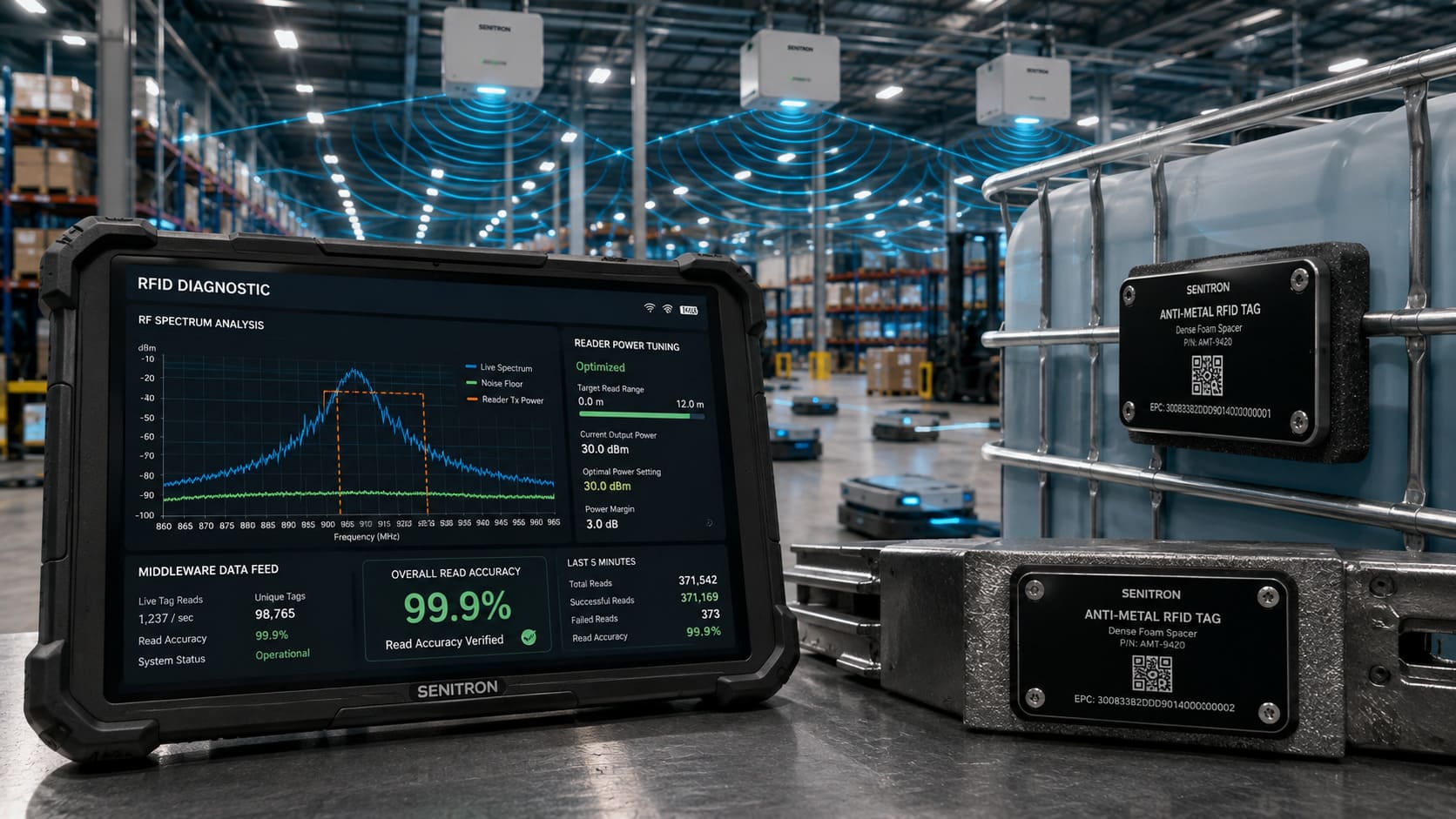
Radio-Frequency Identification (RFID) is a known game-changing technology for inventory management and asset tracking. But companies often find that the accuracy they achieve after deployment is not the 99% that they had hoped for. The technology is good, but the poor RF optimization, tag selection, and lack of software integration make the system underperform.
When your RFID system has issues with blind spots, inconsistent readings, or lots of noise in the data, then the problem is probably with the setup and the implementation strategy of the environment. Let’s take a quick look at some of the reasons your existing RFID solution is not working and how you can correct those issues.
Q1: Why do metal and liquid environments cause RFID “blind spots”?
In the case of Ultra-High Frequency (UHF) systems, the most frequent obstacles to RFID performance are metal and liquids. Metals have the properties of reflecting and bouncing radio waves (multipath interference), causing destructive interference (null zones), and blocking the signal altogether, which may all cause “detuning” of tags. However, liquids absorb short-wavelength UHF radio waves, thereby causing strong absorption and a decrease in read range.
How to Fix It: Standard paper tags don’t work in these environments. On metal surfaces, attach a special metal-resistant (anti-metal) RFID tag with the foam substrate or spacer that separates the antenna from the metal. For liquids, make sure tags are placed away from the liquid mass and consider using tags with more read sensitivity or the use of tag frequencies specific to high-density materials.
Q2: How do improper tag placement and density lead to missed inventory?
No matter how much the RFID hardware costs, it will not work if the tags are not properly installed. When tags are close to one another, like stacked files or shelves of retail products, signals can even collide with one another, resulting in the reader not getting any signals or sometimes having trouble seeing which tag you have.
Also, tags that are not aligned, not in line of sight with the reader, or are not attached to curved surfaces with the correct adhesives will not consistently reflect the RF signal.
How to fix it: – Normalize tagging procedure. The tags should be positioned at the same place on every item, and should be oriented in the same direction as the reader’s polarization. For high-density applications, tune the coupling factors and have the reader in “dense reader mode” to deal with a multi-tag environment to the best of your ability.
Pilot deployments of the read to validate accuracy before expanding across your facility can save you money on expensive re-tagging operations.
Q3: Why is my RFID hardware capturing inconsistent reads and “ghost” data?
Poor hardware configuration is often the cause of inconsistent data like stray reads from neighboring rooms or blind spots between aisles in the middle of a warehouse. Too much transmission power for an RFID reader results in a “tag flood” where the reader is able to read tags which it should not be reading (stray reads), and too low will result in physical blind spots.
Additionally, improper antenna angles, substandard coaxial cable, and frequency interference from neighboring readers on the same channel can have a significant impact on performance.
How To Fix It: Carry out a site survey to optimize RF propagation. Set the reader’s power level for the particular zone you have to read. Install antennas properly both in height and angle and use high-quality impedance-matched cables to minimise the loss of signal between the reader and the antenna.
Q4: What role does software integration play in preventing system failure?
One of the typical mistakes made is to regard RFID as a hardware project only. If there’s no backend system to respond to the information immediately, every tag read may be mere noise for readers.
Failure to have the middleware layer to control information flow is the reason for many RFID project failures after installation. If the RFID software is not up to scratch, backend systems get swamped, duplicate reads are not resolved, and data can drop below 75% accuracy.
How to Fix It: Add strong edge-processing middleware that can detect noise, eliminate duplicate records, and enforce business rules before sending the information to your ERP or WMS. The real difference between raw RF signals and operational information that is 99% accurate is software orchestration.
Conclusion
Usually, it is not technology defects that hinder the implementation of RFID, but bad planning, bad tags, and the environment. With the addition of specialized tags, the optimization of reader configurations, and the incorporation of powerful middleware, businesses can break blind spots to realize the real-time accuracy and operational visibility promised by RFID.
FAQs
Can I use the same RFID tags for all my products to save money?
No. Tags that are generic and low cost for different types of products cause reads to fail. Use application-specific tags (such as anti-metal tags) for a metal tool or liquid container if you want to get good performance from an RFID tag applied to such a package.
How do environmental factors like dust or temperature affect RFID?
High humidity causes static electricity and corrosion; high temperatures can cause freezing or overheating of equipment; low temperatures can cause instability. Dust and debris can also cause reader interfaces to fail; therefore, it is important to perform regular maintenance tasks on the equipment to ensure optimal performance.
Why am I getting duplicate data in my ERP system?
Duplicate reads occur when several readers find the same tag, or when a system isn’t set up properly and lacks software orchestration. With effective RFID middleware, this noise is filtered, and no two Electronic Product Codes (EPCs) are allowed into your backend systems.
Learn more: RFID asset tracking software · best RFID inventory software